

🔒 Introduction
WordPress powers over 40% of websites worldwide and that makes it a prime target for hackers.
If you’re running a business website, eCommerce store, or even a portfolio, security isn’t optional it’s essential.
The good news? You don’t need to be a tech expert to secure your WordPress site.
In this beginner-friendly guide, you’ll learn simple, practical steps to protect your website from attacks.
🚨 Why WordPress Security Matters
A hacked website can lead to:
- Loss of customer trust
- Data theft
- SEO ranking drop (Google may blacklist your site)
- Financial loss
Even small websites are targeted because bots don’t discriminate.
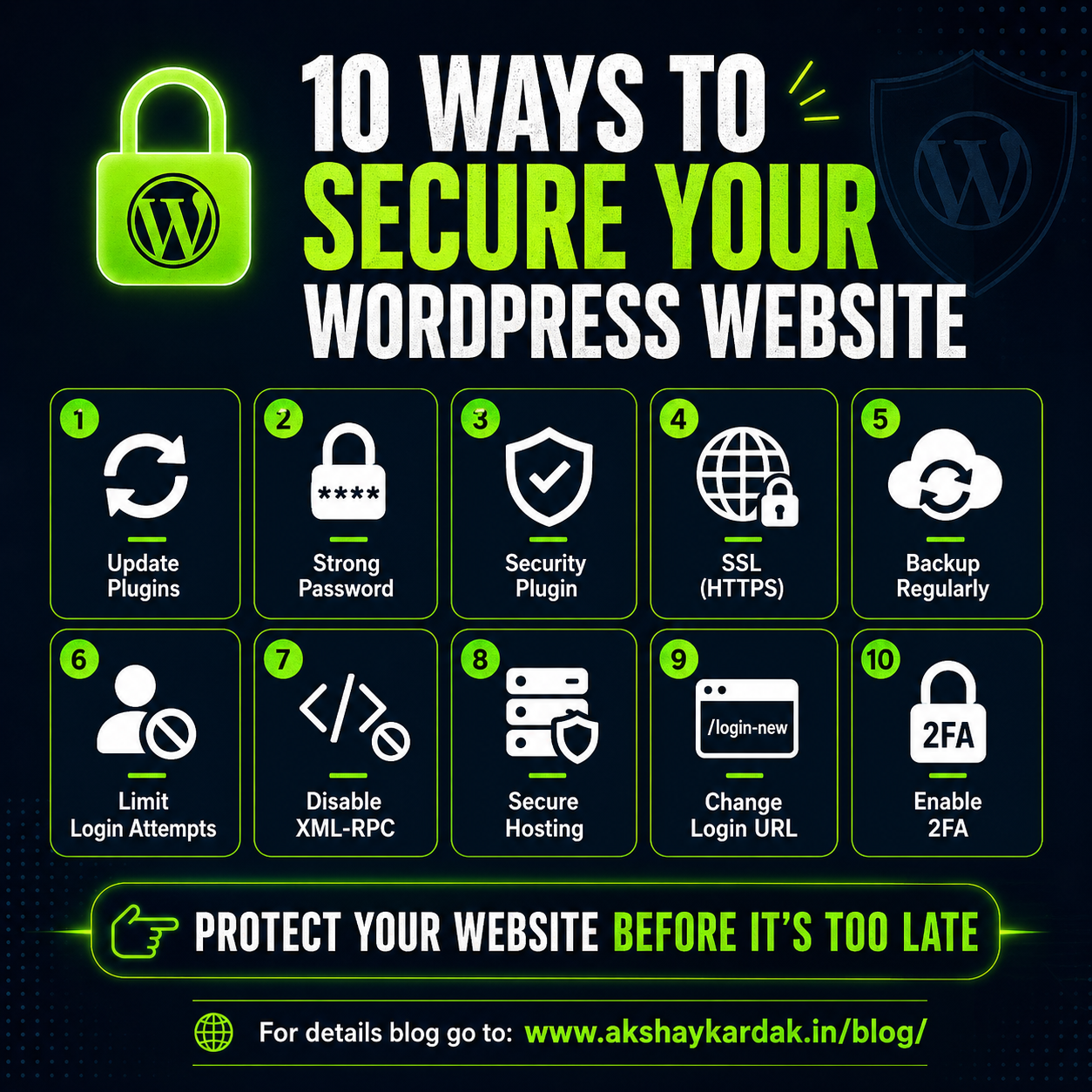
✅ 1. Keep WordPress, Themes & Plugins Updated
Outdated software = biggest security risk.
👉 Always update:
- WordPress core
- Plugins
- Themes
💡 Tip: Enable auto-updates for trusted plugins.
🔑 2. Use Strong Login Credentials
Avoid:
- Username: admin
- Password: 123456
Use:
- Long password (12+ characters)
- Mix of letters, numbers, symbols
💡 Use password managers like LastPass or 1Password
🔐 3. Install a Security Plugin
Security plugins act like a firewall for your website.
Top options:
- Wordfence
- Sucuri
- iThemes Security
They help with:
- Malware scanning
- Login protection
- Firewall security
🌐 4. Enable SSL (HTTPS)
If your website shows “Not Secure” in the browser fix it ASAP.
Install an SSL certificate using:
- Let’s Encrypt (Free option)
Benefits:
- Encrypts user data
- Improves SEO
- Builds trust
🔁 5. Take Regular Backups
If something goes wrong, backups are your lifesaver.
Use plugins like:
- UpdraftPlus
- BackupBuddy
💡 Store backups on Google Drive or Dropbox.
🚫 6. Limit Login Attempts
Hackers use brute-force attacks to guess passwords.
Limit login attempts to:
- 3–5 tries
Most security plugins provide this feature.
🔍 7. Disable XML-RPC (If Not Needed)
XML-RPC is often exploited for attacks.
If you don’t use it → disable it via plugin or hosting settings.
🛡️ 8. Use Secure Hosting
Your hosting matters more than you think.
Choose providers with:
- Firewall protection
- Malware scanning
- Daily backups
📁 9. Change Default Login URL
Default login: /wp-admin
Change it using plugins to something unique like:/mysecurelogin123
This reduces automated attacks.
🔐 10. Enable Two-Factor Authentication (2FA)
Even if someone gets your password they still can’t log in.
2FA adds an extra layer of protection.
🚀 Final Thoughts
Website security isn’t a one-time task it’s ongoing.
Start with these basics, and you’ll already be ahead of 80% of website owners.
👉 If you run a business website, investing in security = protecting your revenue.