

10 Tips to Improve Sales and Orders from WooCommerce
In today’s competitive eCommerce world, getting traffic is not enough. The real challenge is converting visitors into customers.
Even a small improvement in your conversion rate can significantly boost your revenue. For example, increasing your conversion rate from 2% to 2.5% can increase sales by up to 25%without spending extra on ads.
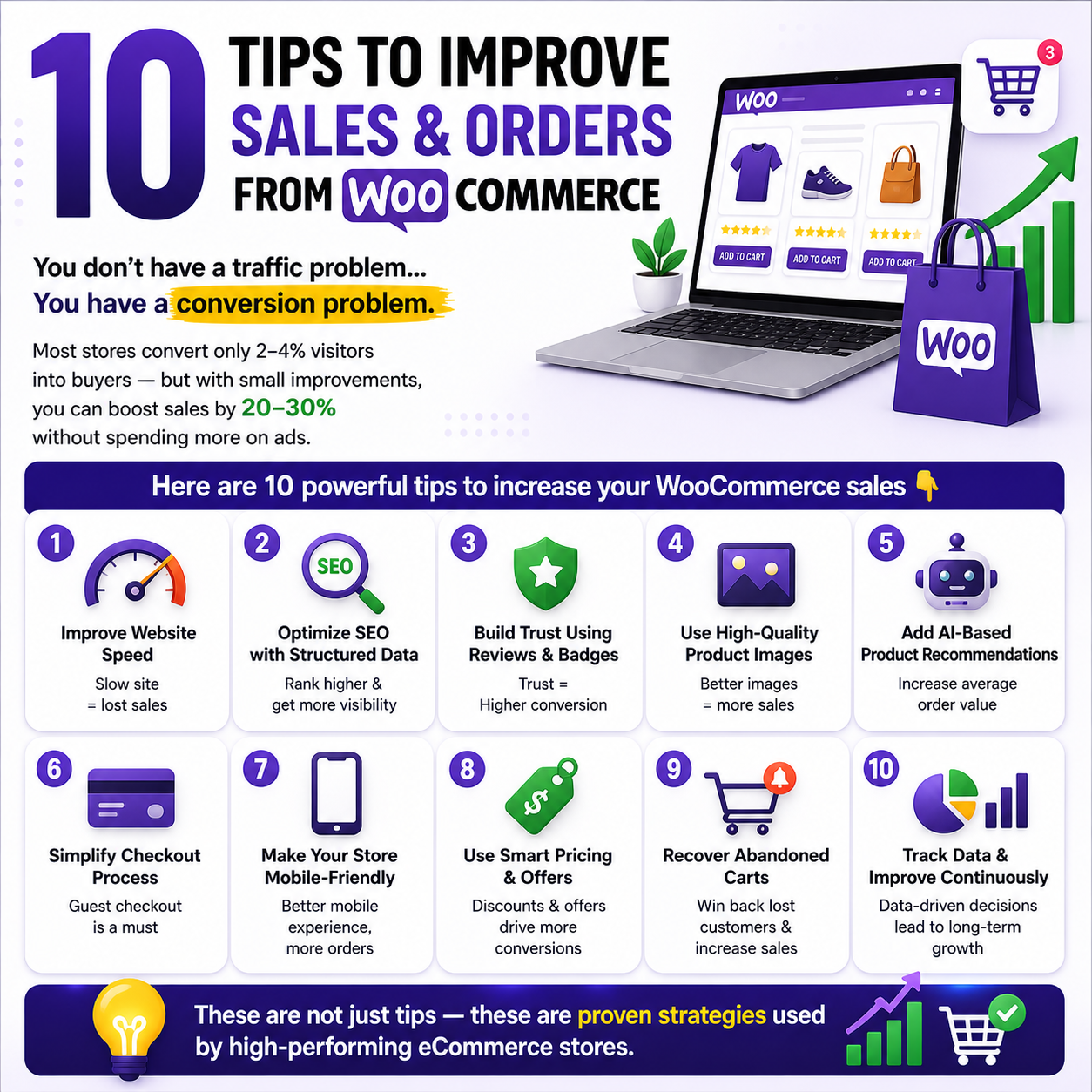
In this blog, you’ll learn 10 powerful strategies to improve sales and orders in your WooCommerce store.
1. ⚡ Improve Website Speed & Performance
Speed is everything in eCommerce.
- A 1-second delay can reduce conversions by 7%
- Use fast hosting (VPS or cloud)
- Enable caching (Redis / object cache)
- Optimize images (WebP format)
- Use lightweight themes
👉 Faster websites = Better user experience = More sales
2. 🔍 Optimize SEO with Structured Data
SEO is no longer just keywords—it’s about entities and structured data.
- Use schema markup (JSON-LD)
- Optimize product titles and URLs
- Use SEO plugins like Rank Math
- Make your content AI-search friendly
👉 Proper SEO helps your store appear in Google + AI tools like ChatGPT
3. 🤝 Build Trust & Reduce Confusion
Users decide in 3–5 seconds whether to stay or leave.
To build trust:
- Add customer reviews & ratings
- Show return policy & delivery info
- Use badges like Best Seller or Low Stock
- Keep design clean and simple
👉 Trust = Higher conversion rate
4. 🛍️ Improve Product Presentation
Better product display = More purchases.
- Use high-quality images
- Add multiple angles
- Include videos or 3D view (if possible)
- Write benefit-focused descriptions
👉 Help users visualize the product before buying
5. 🤖 Use AI for Product Recommendations
Instead of basic “related products,” use smarter recommendations:
- Show frequently bought together
- Suggest upgrades (upselling)
- Recommend complementary products (cross-selling)
👉 AI recommendations increase average order value (AOV)
6. 💳 Simplify Checkout Process
Cart abandonment is very high (~69%)
Fix it by:
- Enable guest checkout
- Remove unnecessary fields
- Use one-page checkout
- Show progress steps clearly
👉 Simple checkout = More completed orders
7. 📱 Optimize for Mobile Users
More than 60% of users shop on mobile
Make your site mobile-friendly:
- Large buttons & easy navigation
- Fast loading pages
- Simple forms
- Sticky “Buy Now” button
👉 Mobile optimization directly increases sales
8. 💰 Use Smart Pricing Strategies
Pricing can influence buying decisions a lot.
- Use discounts & offers
- Apply tier pricing (Buy more, save more)
- Use .99 pricing (₹999 instead of ₹1000)
- Show original price with discount
👉 Smart pricing creates urgency and increases conversions
9. 🔔 Recover Abandoned Carts
Most users don’t buy on the first visit.
Recover lost sales by:
- Sending email reminders
- Using WhatsApp or SMS follow-ups
- Offering limited-time discounts
- Running retargeting ads
👉 You can recover up to 20–30% of lost sales
10. 📊 Track Data & Continuously Improve
You can’t improve what you don’t measure.
- Use Google Analytics
- Track:
- Add to cart rate
- Checkout completion rate
- Use heatmaps (Hotjar)
- Run A/B testing
👉 Continuous improvement = Long-term growth
Final Thoughts
Improving WooCommerce sales is not about one trick—it’s about combining:
- Speed
- Trust
- User experience
- Smart marketing
Start by applying even 2–3 of these tips, and you’ll already see noticeable improvement in your sales.
Focus on conversion optimization (CRO) instead of only increasing traffic.
👉 Because more traffic without conversions = wasted effort.