

How I Improved a Local Business Website Speed by 80% (and Why It Matters)
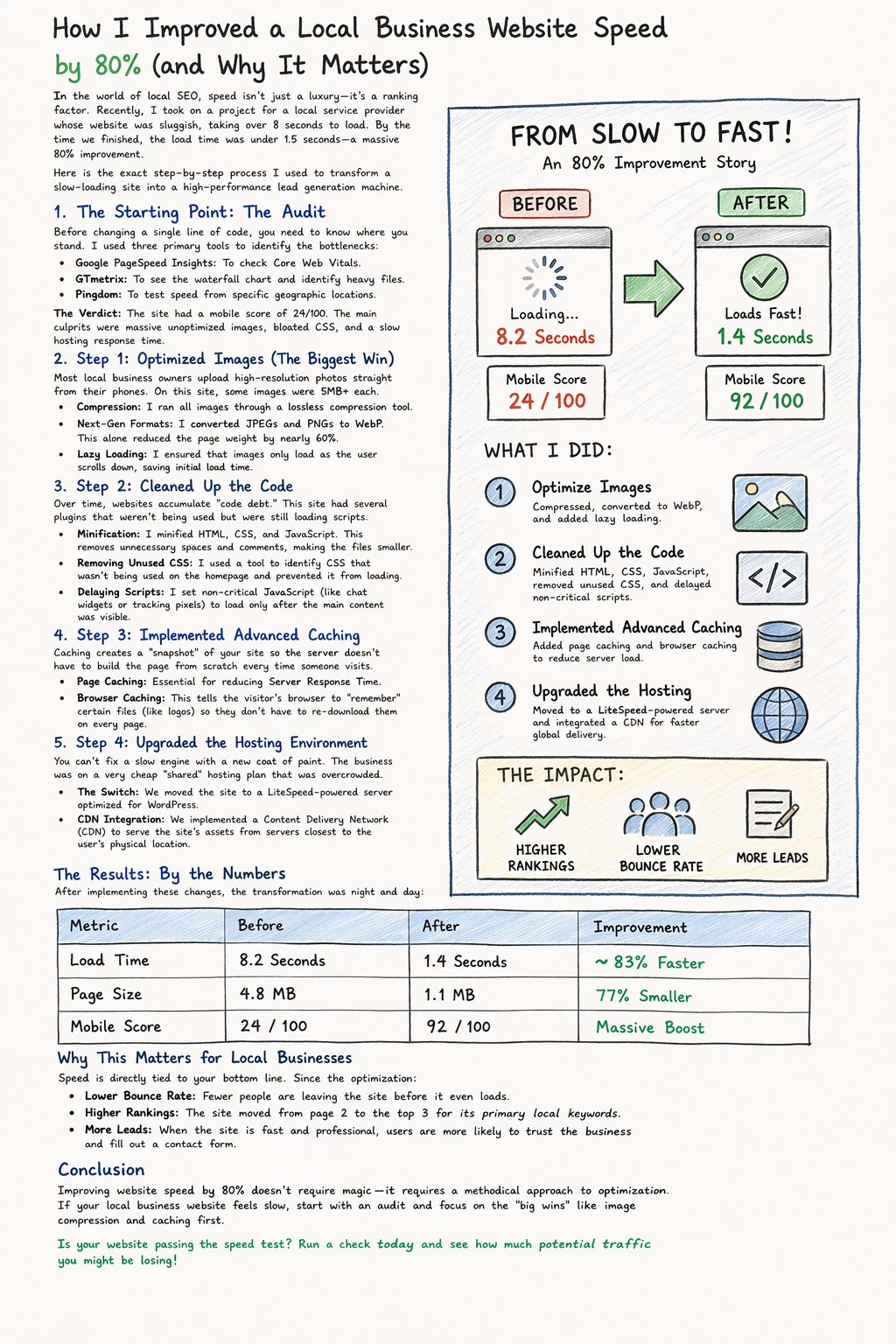
In the world of local SEO, speed isn’t just a luxury—it’s a ranking factor. Recently, I took on a project for a local service provider whose website was sluggish, taking over 8 seconds to load. By the time we finished, the load time was under 1.5 seconds—a massive 80% improvement.
Here is the exact step-by-step process I used to transform a slow-loading site into a high-performance lead generation machine.
1. The Starting Point: The Audit
Before changing a single line of code, you need to know where you stand. I used three primary tools to identify the bottlenecks:
Google PageSpeed Insights: To check Core Web Vitals.
GTmetrix: To see the waterfall chart and identify heavy files.
Pingdom: To test speed from specific geographic locations.
The Verdict: The site had a mobile score of 24/100. The main culprits were massive unoptimized images, bloated CSS, and a slow hosting response time.
2. Step 1: Optimized Images (The Biggest Win)
Most local business owners upload high-resolution photos straight from their phones. On this site, some images were 5MB+ each.
Compression: I ran all images through a lossless compression tool.
Next-Gen Formats: I converted JPEGs and PNGs to WebP. This alone reduced the page weight by nearly 60%.
Lazy Loading: I ensured that images only load as the user scrolls down, saving initial load time.
3. Step 2: Cleaned Up the Code
Over time, websites accumulate “code debt.” This site had several plugins that weren’t being used but were still loading scripts.
Minification: I minified HTML, CSS, and JavaScript. This removes unnecessary spaces and comments, making the files smaller.
Removing Unused CSS: I used a tool to identify CSS that wasn’t being used on the homepage and prevented it from loading.
Delaying Scripts: I set non-critical JavaScript (like chat widgets or tracking pixels) to load only after the main content was visible.
4. Step 3: Implemented Advanced Caching
Caching creates a “snapshot” of your site so the server doesn’t have to build the page from scratch every time someone visits.
Page Caching: Essential for reducing Server Response Time.
Browser Caching: This tells the visitor’s browser to “remember” certain files (like logos) so they don’t have to re-download them on every page.
5. Step 4: Upgraded the Hosting Environment
You can’t fix a slow engine with a new coat of paint. The business was on a very cheap “shared” hosting plan that was overcrowded.
The Switch: We moved the site to a LiteSpeed-powered server optimized for WordPress.
CDN Integration: We implemented a Content Delivery Network (CDN) to serve the site’s assets from servers closest to the user’s physical location.
The Results: By the Numbers
After implementing these changes, the transformation was night and day:
| Metric | Before | After | Improvement |
| Load Time | 8.2 Seconds | 1.4 Seconds | ~83% Faster |
| Page Size | 4.8 MB | 1.1 MB | 77% Smaller |
| Mobile Score | 24 / 100 | 92 / 100 | Massive Boost |
Why This Matters for Local Businesses
Speed is directly tied to your bottom line. Since the optimization:
Lower Bounce Rate: Fewer people are leaving the site before it even loads.
Higher Rankings: The site moved from page 2 to the top 3 for its primary local keywords.
More Leads: When the site is fast and professional, users are more likely to trust the business and fill out a contact form.